

An Overview of Unito's Eloqua Integration
Connecting Eloqua with Unito? Here’s what you can expect from this integration.
What Unito syncs from Eloqua
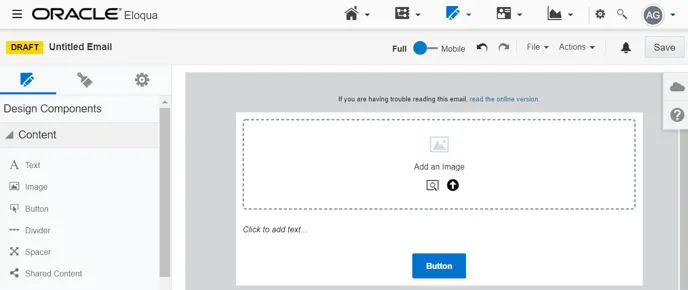
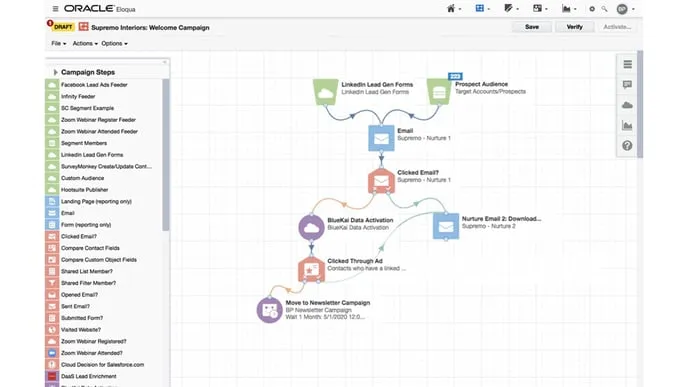
Section titled “What Unito syncs from Eloqua”Unito syncs campaigns and emails from Eloqua accounts by linking individual fields to items in other tools (e.g., Trello cards, Jira issues, ServiceNow records).
Supported fields for Eloqua campaigns
Section titled “Supported fields for Eloqua campaigns”Unito supports 12 fields for Eluqoa campaigns. Here’s a list of these fields as well as supported sync directions and rules.
Quick definitions:
-
One-way: Changes in this field can be synced to the tool it’s integrated with, but changes in the other tool can’t be synced back.
-
Two-way: Changes to this field will be synced to the tool it’s integrated with, and changes in the other tool will be synced back.
-
Rules: This field can be used to build rules.
| Campaign Fields | One-Way | Two-Way | Rules |
|---|---|---|---|
| ID | ✔ | ✔ | |
| Description | ✔ | ✔ | ✔ |
| Name | ✔ | ✔ | ✔ |
| Status | ✔ | ✔ | |
| Created date | ✔ | ✔ | |
| Updated date | ✔ | ✔ | |
| Actual cost | ✔ | ✔ | ✔ |
| Budgeted cost | ✔ | ✔ | ✔ |
| Campaign start date | ✔ | ✔ | ✔ |
| Campaign end date | ✔ | ✔ | ✔ |
| Link to campaign | ✔ | ✔ | |
| Link to campaign elements | ✔ | ✔ |
Supported fields for Eloqua emails
Section titled “Supported fields for Eloqua emails”Unito supports eight fields for Eloqua emails. Here’s a list of these fields as well as supported sync directions and rules.
Quick definitions:
-
One-way: Changes in this field can be synced to the tool it’s integrated with, but changes in the other tool can’t be synced back.
-
Two-way: Changes to this field will be synced to the tool it’s integrated with, and changes in the other tool will be synced back.
-
Rules: This field can be used to build rules.
| Email Fields | One-Way | Two-Way | Rules |
|---|---|---|---|
| ID | ✔ | ✔ | |
| Body | ✔ | ✔ | ✔ |
| Name | ✔ | ✔ | ✔ |
| Subject | ✔ | ✔ | ✔ |
| Status | ✔ | ✔ | |
| Created date | ✔ | ✔ | |
| Updated date | ✔ | ✔ | |
| Link to email | ✔ | ✔ |
Other documentation
Section titled “Other documentation”Need to know more about this integration? Check out our documentation on: